What Is Google Block Breaker?
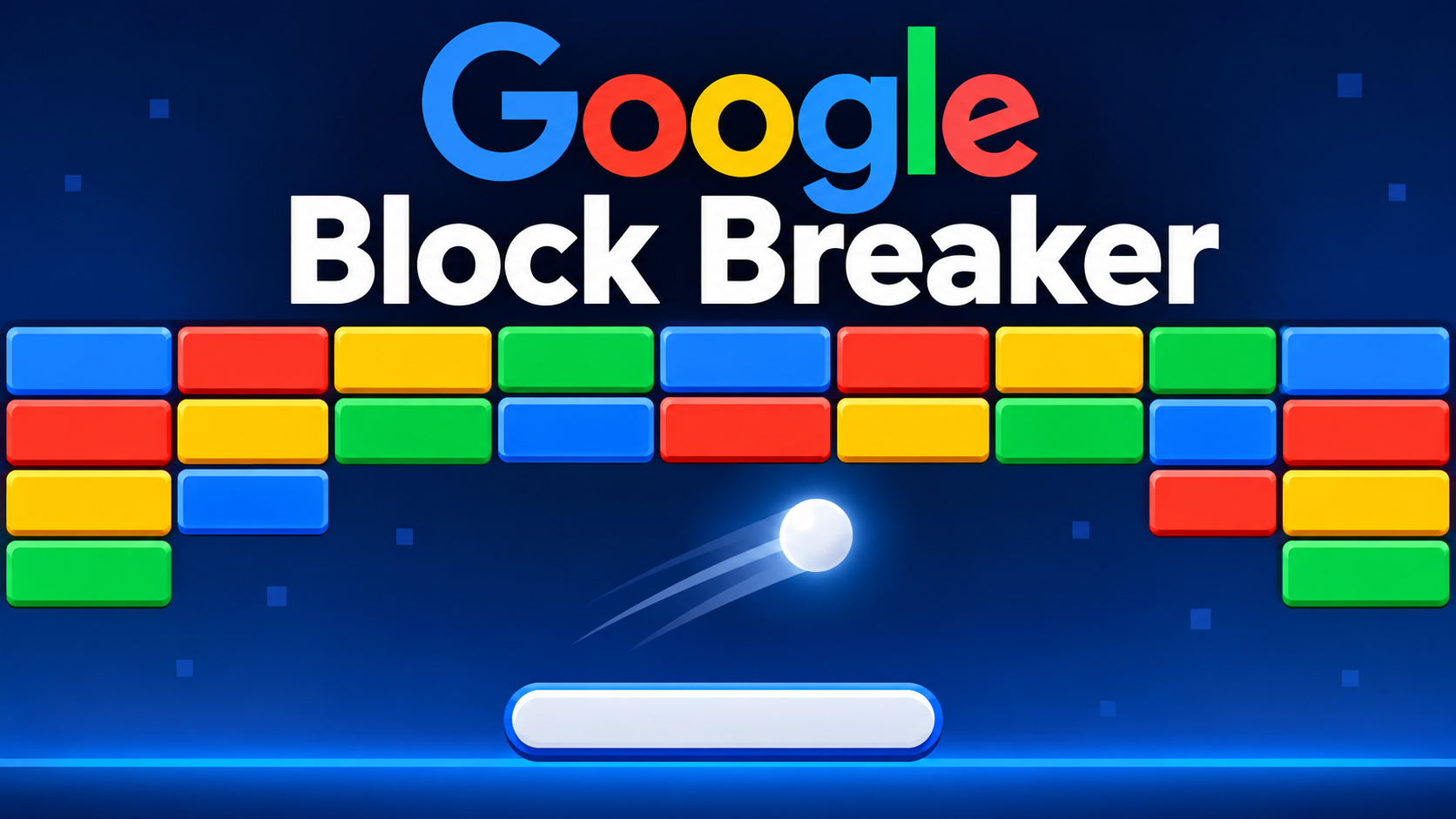
Google Block Breaker is an arcade-style game available through Google Search. Its gameplay is based on the classic brick-breaking formula: a player controls a horizontal paddle, keeps a moving ball in play, and uses the ball to destroy blocks arranged above it.
The game offers a simple experience that does not require learning complicated rules. Players can start with a few movements and gradually develop better timing and control. Its colorful blocks, straightforward controls, and bonus features make it suitable for short gaming sessions.
Unlike many online games, the Search version does not require players to create an account or install a separate gaming application to begin playing. When the interactive game card is available, players can launch it directly from the search results.
How to Play Google Block Breaker
Getting started is relatively simple. The game is designed to be accessible to people who have never played a brick-breaker game before.
Follow these steps:
- Open Google Search on your computer, smartphone, or tablet.
- Enter Google Block Breaker or Block Breaker in the search bar.
- Look for the interactive game card in the results.
- Select the Play option if it appears.
- Wait for the game to load.
- Move the paddle to keep the ball bouncing toward the blocks.
- Continue breaking the blocks while avoiding losing the ball.
The objective is to clear the playing area and progress through additional rounds. Each successful hit brings you closer to removing the remaining blocks.
An important distinction
Google also created an earlier Atari Breakout Easter egg in 2013. That older experience transformed Google Images results into breakable blocks. It was different from the newer Block Breaker game introduced in Google Search in January 2025. The two experiences share the same basic arcade concept but should not be confused with each other.
Understanding the Game Controls
The controls are easy to understand, although they differ slightly depending on the device.
Playing on a Desktop or Laptop
Computer players can use the keyboard to move the paddle.
- Left arrow: Moves the paddle to the left.
- Right arrow: Moves the paddle to the right.
Keep your attention on the ball rather than moving the paddle randomly. Predicting where the ball will land makes it easier to keep it in play.
Playing on a Smartphone or Tablet
The mobile version uses touchscreen controls. Players can move the paddle by touching, dragging, or tapping within the playing area, depending on the interface.
A larger screen may make it easier to follow the ball, but the basic gameplay remains the same.
Google Block Breaker Features
Google’s version adds several features to the traditional brick-breaking formula. These bonuses make later rounds more interesting and give players additional ways to clear blocks.
Colorful Blocks
The game uses Google’s familiar blue, red, yellow, and green color scheme. The blocks form rows near the top of the screen, while the paddle and ball operate below them.
Some blocks require more effort to destroy than others. This means players cannot always expect every successful hit to remove a block immediately.
Power-Ups
Power-ups are among the most interesting parts of the game. Certain blocks can release bonuses that change how the game works.
Depending on the bonus, players may receive:
- Extra balls: Adds more balls to the playing area, increasing the number of opportunities to hit blocks.
- Extended paddle: Makes the paddle longer, providing a wider area for catching the ball.
- TNT effects: Helps destroy blocks through an explosive effect.
- Dual blasters: Adds shooting abilities to the paddle, allowing players to attack blocks in a different way.
These bonuses can make difficult rounds easier, but players still need to maintain control of the paddle.
Lives and Scoring
The game starts with three lives. A life is lost when the ball passes the paddle and falls out of the playing area.
The score appears at the top of the game screen, allowing players to follow their progress. Some bonuses can also provide additional opportunities to continue playing.
Multiple Rounds
Completing a round does not necessarily end the experience. After clearing the existing blocks, another set of rows appears, giving players a fresh challenge.
This progression keeps the gameplay active and encourages players to improve their performance.
Best Tips for Getting a Higher Score
Although Google Block Breaker is easy to understand, achieving a better score requires patience and good timing. Players who focus on positioning rather than constantly chasing the ball often have better control.
1. Watch the Ball Carefully
The most important skill is tracking the ball’s movement. Pay attention to its direction after every collision with a block or wall.
Instead of reacting at the last second, estimate where it will reach the bottom of the screen.
2. Keep the Paddle Near the Ball’s Landing Point
Avoid moving the paddle too far in either direction without a reason. Small adjustments can help you maintain control and prevent unnecessary mistakes.
3. Aim for Open Spaces
When the ball reaches the area above the blocks, it can sometimes enter spaces between rows or behind the remaining bricks.
This is useful because the ball may hit several blocks before returning toward the paddle.
4. Use Power-Ups Wisely
Do not ignore special blocks. Bonuses such as extra balls and an extended paddle can make a significant difference during difficult rounds.
When several balls are moving simultaneously, pay attention to the one most likely to fall out of play.
5. Stay Calm During Difficult Rounds
Fast-moving balls and multiple targets can make the screen difficult to follow. Sudden movements may cause you to lose control.
Use steady paddle movements and focus on the most immediate threat.
Is Google Block Breaker Free?
Yes. The Google Search game is designed as a free entertainment feature. Players do not need to purchase a subscription or pay an entry fee to start playing through the available Search game card.
However, availability can depend on Google’s current Search experience, device, region, and interface changes. If the game does not appear, it does not necessarily mean there is a problem with your device.
Players should also distinguish Google’s own game from independent websites offering similarly named brick-breaking games. Those websites may have different rules, advertisements, features, or payment arrangements.
Can You Play Google Block Breaker on Mobile?
Yes. Google’s Search version supports mobile web access and the Google application on Android and iOS.
The touchscreen controls make the game suitable for phones and tablets. Players can move the paddle directly rather than relying on a physical keyboard.
For a smoother experience, it helps to:
- Use an updated browser.
- Maintain a stable internet connection.
- Keep the game window visible while playing.
- Avoid touching outside the playing area accidentally.
Mobile gameplay follows the same basic objective as the desktop version: keep the ball moving and destroy the blocks.
Google Block Breaker vs. Classic Atari Breakout
Google Block Breaker takes inspiration from the traditional Atari Breakout formula, but the two experiences are not identical.
| Feature | Google Block Breaker | Classic Atari Breakout |
|---|---|---|
| Main objective | Destroy blocks | Destroy bricks |
| Main controls | Paddle and ball | Paddle and ball |
| Visual style | Google-inspired colors | Classic arcade graphics |
| Special bonuses | Multiple power-ups | Depends on the version |
| Gameplay | Multiple rounds | Traditional brick-breaking stages |
| Access | Google Search game card | Original arcade game or compatible versions |
The main difference is the presentation and additional gameplay features. Both games rely on timing, positioning, and the ability to keep the ball from falling.
Why Is Google Block Breaker Not Showing Up?
Some players may search for the game without finding the interactive Play option. There are several possible explanations.
Regional availability: Google does not necessarily display every interactive feature in the same way across all regions.
Device differences: The appearance of Search features can vary between desktop browsers, mobile browsers, and the Google application.
Search interface changes: Google regularly updates its search experience, and individual game cards may change or become unavailable.
Search wording: Try searching for the shorter phrase “Block Breaker” instead of using a longer query.
If the interactive card is unavailable, you can look for an independent brick-breaker game. Just remember that an independently developed version is not automatically an official Google game.
Frequently Asked Questions
1. What is Google Block Breaker?
Google Block Breaker is a browser-based arcade game inspired by classic brick-breaking games. Players control a paddle to bounce a ball toward colorful blocks and clear successive rounds.
2. How do I access Google Block Breaker?
Open Google Search and type “Block Breaker” into the search bar. If the interactive game card is available, select Play to begin.
3. Is Google Block Breaker free to play?
Yes. Google’s Search version is free to play and does not require a paid subscription or separate game installation.
4. Can I play Google Block Breaker on my phone?
Yes. The game supports mobile web and the Google application on Android and iOS. Touchscreen controls allow players to move the paddle.
5. Does Google Block Breaker have power-ups?
Yes. Its special bonuses include extra balls, a longer paddle, TNT effects, and dual blasters. These features add variety to the traditional gameplay.
6. Is Google Block Breaker the same as Atari Breakout?
No. They share the same basic brick-breaking concept, but they are different implementations. Google’s earlier Atari Breakout Easter egg appeared in Google Images in 2013, while the newer Block Breaker game appeared in Google Search in January 2025.
Conclusion
Google Block Breaker brings the familiar arcade experience of bouncing a ball against rows of blocks into Google Search. Its simple controls, colorful design, multiple rounds, and special power-ups make it an enjoyable option for casual gaming. Whether playing on a computer or smartphone, the main challenge remains the same: maintain control of the paddle, keep the ball in play, and clear as many blocks as possible.
For anyone looking for a quick game without installing additional software, Google Block Breaker is worth trying whenever its interactive Search feature is available.
How Does Tomoson Work? A Guide to Its Influencer Marketing Platform